Managing Sites, Systems, and Assets
Build a clean estate register that gives engineers the right site, system, and asset context before they leave the office.
Before you start
- You know which customer account owns the site.
- You have the building details, service scope, and main contacts to hand.
- You know which industry or system type the record belongs to.
Expected outcome
Sites, systems, and assets are structured cleanly enough for scheduling, inspection filtering, and CSV exports to stay accurate.
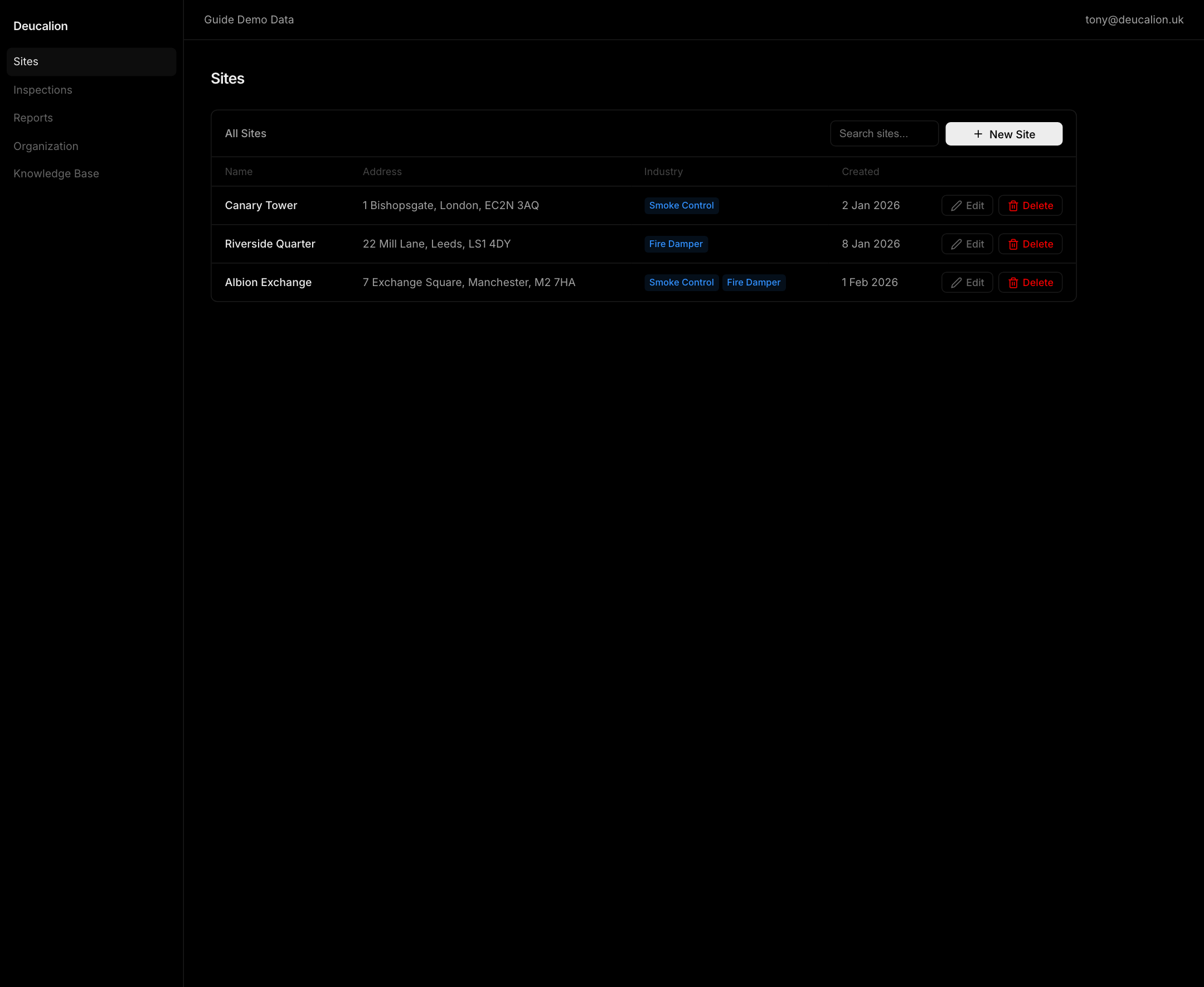
Create the site from customer context
- Create the site under the correct customer account when CRM is already in place.
- Record the address, building details, access notes, and responsible contacts in the site record.
- Keep site-level notes for information engineers need before arrival, not for system-level technical detail.
Separate systems and assets properly
- Use systems for the logical service layer and assets for the inspectable equipment under it.
- Keep mixed smoke-control and fire-damper detail out of one generic asset record.
- Use system notes for operational context that should follow all related assets.
- Use asset detail for exact equipment information, condition, QR labels, and field identification.
- Use the Asset Passport dialog only for assets eligible for public display. Publish, rotate, or revoke the passport from the confirmed admin controls.
Use staged imports when another system owns the register
- Start from the contextual import entry points in CRM, Sites, Systems, or Assets when the source data already exists elsewhere.
- Pick the dataset that matches the source you are moving: customers and sites, systems and assets, or work orders and tasks.
- Review the staged preview before applying anything so you can catch duplicate sites, mismatched systems, or weak identifiers while the run is still reversible.
- Download the issue CSV when validation fails and correct the source file rather than patching around the same bad mapping row by row.
Prepare for exports and field search
- Add asset names, identifiers, and locations in a way the engineer can search quickly on the phone.
- Keep QR labels and asset numbers consistent so field lookup and CSV exports match the physical equipment.
- Review the site map and linked CRM context together before the first visit, especially when the customer already uses an external system.
Keep inspection filtering predictable
- Add only the assets that belong to the relevant industry and system.
- Avoid using free-text notes to stand in for missing assets because checklist filtering and exports depend on real records.
- Revisit the register when engineers report missing equipment so the next inspection starts cleaner.
Troubleshooting
| Problem | What to check |
|---|---|
| Engineers cannot find the right asset in the field | Confirm the asset identifier, site assignment, and QR or search terms match the physical label. |
| Exports group the wrong equipment together | Check whether assets were created under the wrong system or industry. |
| A staged import produced duplicates or weak matches | Re-open the import run, review the candidate matches, and fix the source identifiers before applying the rows. |
| A site looks correct in notes but not in workflow | Move important information from narrative notes into structured site, system, or asset fields. |
| A site link opens a summary instead of an edit form | Sites opens a read-first overview. Choose Edit or use edit=1 to open the mutation dialog. |
| An inline system or asset edit reverts | The save failed and the table restored the source value. Open the full dialog to review validation and retry. |
Related guides
- Use Reports, Exports, and Integrations when the task involves imports, external sync, or staged data application.
- Use Scheduling, Inspections, Defects, and Work Orders when register changes affect operational work.