Using Reports, Exports, and Integrations
Generate client-ready outputs, publish structured exports, and keep connected-system workflows observable.
Before you start
- Completed inspections or site data exist for the output you need.
- The relevant export or integration permissions are enabled for your workspace.
- You know whether the receiving team wants a client-facing document or structured data.
Expected outcome
Teams can publish trustworthy reports, use the staged CSV import and export workflows deliberately, and explain integration state when something goes wrong.
Generate client-ready reports
- Open
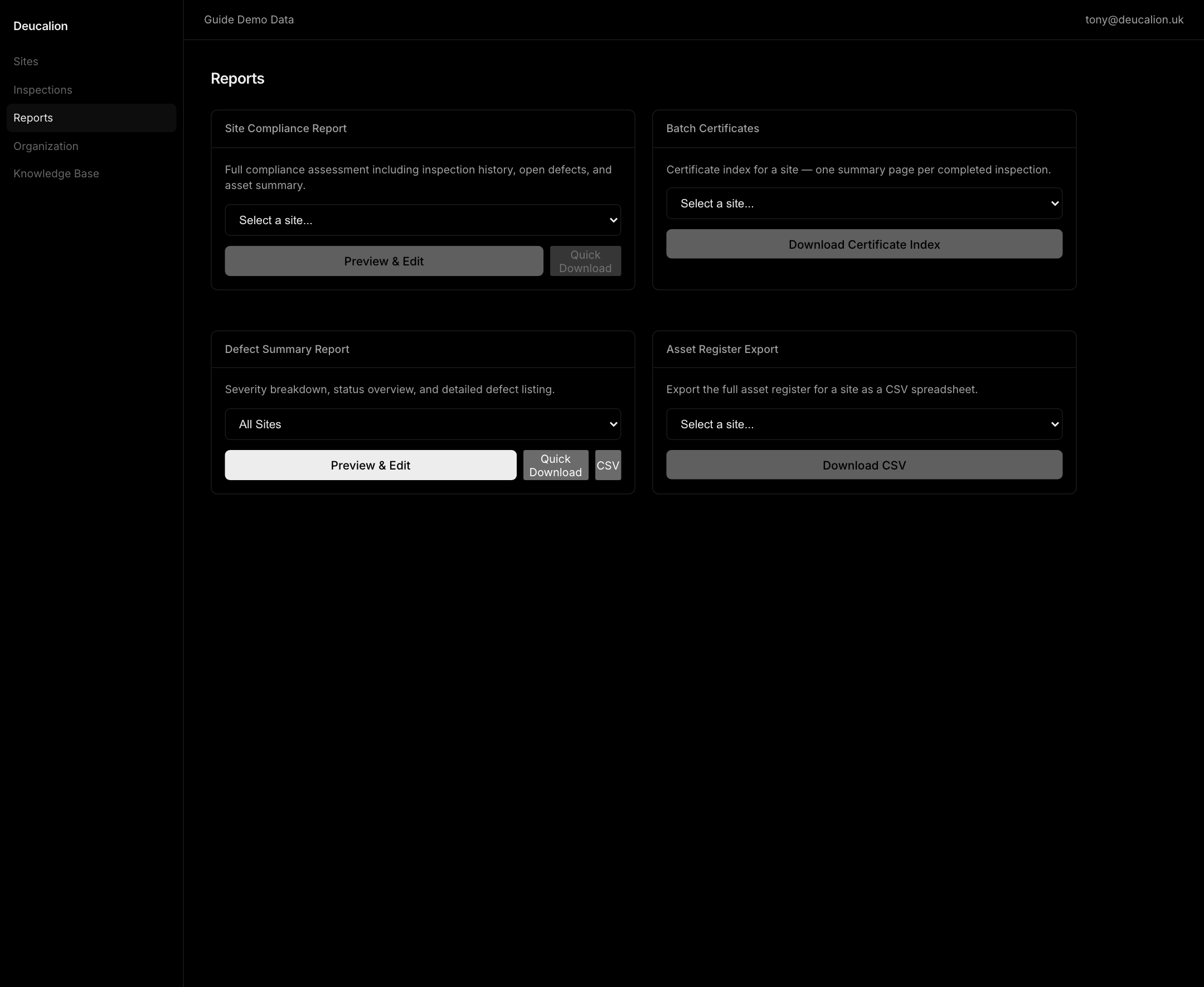
Exportsfor the all-sites, site, or completed-inspection scope you need to publish. - Choose a specific site before using site-scoped actions such as review packs, site compliance reports, certificate bundles, or asset exports.
- Switch to inspection scope when the output is an inspection certificate or inspection report.
- Use preview workflows before high-risk downloads, so the office team can catch stale branding, visit-note, defect, or certificate context early.
- Generate the output that matches the job: compliance report, defect summary, certificate bundle, inspection certificate, or asset register.
Preview wording changes and a published-template override apply only to that export request. They do not update the source inspection, defect, site, or the workspace's assigned template.
Follow the report release path
Rendering diagram…
The equivalent release sequence is:
- Select one site, all sites where supported, or one completed inspection and confirm that the scope matches the intended output.
- When compliance has no completed evidence, treat it as Not assessed and correct the operational evidence before making a customer claim.
- Use preview when Exports offers it for compliance or defect output. Direct certificate, index, CSV, inspection, and Sift actions generate without that preview step.
- Inspect the resulting output. Correct persistent facts in their owning workflow; do not use transient preview wording as a substitute.
- For reusable layout changes, save a template draft, render proof from that saved version, publish the immutable version, and assign it when it should become the future default.
- A published template chosen only in an export preview changes that output, not the workspace assignment.
- Release the final customer-facing file only after checking the generated result.
Use structured exports deliberately
- Use CSV exports when another system or customer process needs structured data instead of a PDF.
- Use scheduled-work CSV export when planning data needs to travel into another office workflow.
- Expect scheduled-work and work-order exports to include the planning month when a record is month-planned instead of exactly booked.
- Keep site names, customer names, and identifiers clean before exporting so downstream systems do not inherit bad labels.
Interpret empty compliance output correctly
- If a selected site has no completed inspection data in scope, treat the compliance report as not assessed, not as a pass.
- Use preview before download so the office team can see whether the report has enough inspection evidence to support the client-facing conclusion.
- Return to Inspections or Scheduler when the report is not assessed because the missing input is operational data, not a PDF styling issue.
Proof template output in Templates before relying on it
- Use
Templateswhen the report, certificate, quote, or other managed document layout itself needs review. - Choose the correct organization or global scope. Organization owners and admins manage organization templates; platform admins can also manage global starters.
- Save the draft version before opening its rendered proof. A proof from an earlier save does not verify newer edits.
- Publish only the proved version. Published versions are immutable.
- Assign the published version when it should become the organization default. A one-off Exports override does not change that assignment.
- Treat customer, compliance, inspection, certificate, quote, and other regulated facts as server-owned output. Template layout must not replace or falsify them.
Run staged CRM and CMMS imports deliberately
- Open Connected Systems and move into the Imports desk, or use the contextual Import Data action from CRM, Sites, Systems, Assets, or Work Orders.
- Choose the dataset that matches the source file: customers and sites, systems and assets, or work orders and tasks.
- Download the published template before the first upload and keep the headers exact.
- For work orders and tasks, use either an exact
scheduled_dateor a month-onlytarget_monthin the source file, never both for the same record. - Upload the CSV into the staged import flow so the office can preview counts, warnings, conflicts, and blocking errors before any live records change.
- Resolve candidate matches when the run detects possible duplicates, then accept warnings only when you understand why the source data is still safe to apply.
- Apply the ready rows once the preview looks clean, or cancel the run and correct the source file if the staged state is not trustworthy yet.
Use error CSVs and contextual entry points to recover faster
- Download the issue CSV when the run contains warning, conflict, or error rows that need correction outside Deucalion.
- Start imports from the desk that already owns the target data when possible, because the contextual entry points keep the intended dataset obvious for the operator.
- Treat the staged run as the review surface and the source spreadsheet as the correction surface.
Keep connected systems observable
- Use Connected Systems to monitor connection health, logs, mappings, linked entities, conflicts, and sync history. Test, reconnect, or sync only after you understand that evidence.
- Use
Suppliersto inspect an available provider's organization credential scope, rate limit, and health. Stored credentials are never returned for display; replace them through the supported setup flow. - Use API keys for scoped integration credentials. A personal or service-key secret is shown once, service keys must expire, and an organization admin cannot grant scopes or a role above their own ceiling.
- Use webhooks for outbound events. Copy the signing secret at creation and inspect delivery history; a queued retry is pending work, not proof that the receiver accepted the event.
- Use the public API reference at API docs for contract detail.
Troubleshooting
| Problem | What to check |
|---|---|
| The report looks outdated | Confirm the underlying inspection, visit-note, defect, and site data were current before generation. |
| A site report action is disabled | Choose a single site first; all-sites scope cannot run site-scoped downloads. |
| A compliance report says not assessed | Confirm there is completed inspection evidence in the selected scope before treating the site as compliant or non-compliant. |
| A proofed PDF still looks wrong | Check the Templates version and rendered proof state before editing the source record. |
| A preview change is missing from the next export | Preview wording and template overrides are one-output choices. Correct the source or assign a published template for persistent behavior. |
| A CSV export is rejected downstream | Check identifiers, headers, and whether you exported the right workflow dataset. |
| A CMMS or CRM import template fails | Compare the uploaded file to the published template and validate the required columns first. |
| A staged import sits in warning or conflict | Review the candidate matches, accept only intentional warnings, and download the issue CSV before applying the run. |
| The wrong import workflow opens from a page | Re-open the import from the contextual entry point and confirm you chose the dataset that matches the source records. |
| An integration sync looks wrong | Review sync history, linked entities, and conflicts before re-running the connection. |
| A supplier or connection secret is no longer visible | Secrets are deliberately not redisplayed. Use the supported replacement or reconnect flow. |
| A webhook retry is queued | Wait for its terminal delivery-history result before treating the event as delivered. |
Related guides
- Use the relevant operational workspace to prepare the record before generating customer-safe output.
- Use the connected-system controls available to your workspace when an authorised integration or import needs attention.
- Follow the source record and delivery state shown in the owning Reports, Report Writer, Document Templates, or Connected Systems workspace when tracing an output.